
Download Sodexo Restaurant Pass – restaurant finder, dining app, partner restaurants, Sodexo card, Moscow restaurants, St. Petersburg restaurants, free dining app
Overview
Sodexo Restaurant Pass is a free lifestyle application designed to simplify the dining experience for users who hold or use the Sodexo Restaurant Pass card. The app serves as a digital companion for individuals seeking convenient access to partner restaurants and cafes across Russia. Its primary function is to help users locate nearby dining options that accept the Sodexo card, streamlining the process of selecting a meal without the need for manual research or physical menus. The software targets professionals, employees, and frequent diners in urban centers such as Moscow, the Moscow region, St. Petersburg, and other major Russian cities.
By integrating real-time location data with a curated list of partner establishments, the app enables users to explore dining choices based on proximity, category, and availability. It supports practical use cases such as quick lunch breaks, business meetings, or weekend outings, offering a seamless way to discover and visit partner venues. The developer, ООО Содексо Пасс СНГ, focuses on enhancing user convenience through digital accessibility, particularly in corporate and lifestyle contexts. The app is available exclusively on Android and is designed for users who value efficiency, accuracy, and ease of access when dining out.
Key Features & Capabilities
- Restaurant Locator – Users can identify partner restaurants and cafes that accept the Sodexo card using a map-based interface, with real-time filtering by location and category.
- Proximity Search – The app automatically detects nearby partner venues based on the user’s current GPS position, enabling quick access to the closest dining options.
- Route Planning – Built-in navigation tools allow users to generate walking or driving routes to selected restaurants, improving trip planning efficiency.
- Comprehensive Venue Directory – A centralized list of all partner establishments is maintained, including details such as names, addresses, operating hours, and accepted payment methods.
- Location-Based Filtering – Users can filter restaurants by city, district, cuisine type, or service category to find the most suitable option for their needs.
These features support daily use scenarios such as selecting a lunch spot during a workday, planning a family outing, or discovering new dining experiences in unfamiliar areas. The app enhances decision-making by providing accurate, up-to-date information on partner locations, reducing uncertainty and saving time. For users with limited time or mobility, the ability to find and navigate to a nearby venue without effort is a significant advantage. The app’s focus on integration with the Sodexo card ecosystem ensures that users receive relevant, targeted results based on their payment method.
User Interface, Workflow & Performance
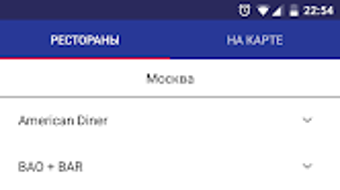
The user interface of Sodexo Restaurant Pass is designed with simplicity and functionality in mind. The main screen features a map view that displays nearby partner restaurants, with clear visual markers indicating each venue. Navigation is intuitive, allowing users to tap on any location for detailed information such as address, contact details, and operating hours. The workflow follows a logical sequence: users open the app, allow location access, and are immediately presented with a list or map of nearby options.
Interaction with the app is streamlined through touch-based controls, with minimal steps required to initiate route planning or view restaurant details. The app’s performance appears stable during typical use, with no reported lag or crashes in standard scenarios. However, exact performance details such as CPU or RAM usage were not specified by the developer. The app operates smoothly within the Android environment, though behavior may vary depending on device capabilities and network conditions. The developer did not provide additional system requirements, so users should ensure their device meets general Android compatibility standards.
Compatibility & System Requirements
Sodexo Restaurant Pass is compatible with Android devices and runs on version 1.2.3. The application has a file size of 20.5 MB, indicating a lightweight design that should not significantly impact storage space. It is available for free download on the Google Play Store, making it accessible to a wide range of users across Russia. The developer did not specify exact hardware or software requirements beyond the operating system, so users should rely on standard Android device specifications for compatibility.
Platform compatibility information is limited to Android, with no mention of support for iOS, Windows, or other systems. The app does not require a specific processor, RAM, or storage configuration beyond what is typical for modern Android smartphones. Users should ensure their device is running a supported Android version and has active internet access for map and location services. The developer did not provide information on offline functionality or data usage patterns.
Pros and Cons
Pros
- Free to download and use with no hidden costs
- Intuitive interface designed for quick access to dining options
- Accurate, real-time location-based restaurant search
- Supports route planning for convenient navigation
- Comprehensive list of partner restaurants across major Russian cities
Cons
- Available only on Android, limiting access for iOS users
- No information on offline functionality or data usage
- Exact system requirements were not listed
- Dependent on GPS and internet connectivity for core features
- App is not available for Windows or Mac desktop systems
FAQ Section
Is Sodexo Restaurant Pass available for iOS devices?
The app is currently available only on Android. There is no official version for iOS at this time.
Can I use the app without an internet connection?
Core features such as map viewing and restaurant search require an active internet connection. Offline functionality was not specified by the developer.
Is the app safe to download and use?
Yes, the app is available for free download on the Google Play Store, which provides security checks and verification for all published applications.
How often does the app receive updates?
The app version is 1.2.3, released on April 1, 2024. The update frequency is not publicly disclosed.
Do I need a Sodexo card to use the app?
While the app is designed for Sodexo card users, it may still display partner restaurant locations for informational purposes even without a card.
Final Thoughts
Sodexo Restaurant Pass delivers a focused and practical solution for users seeking convenient access to partner dining venues across Russia. Its clean interface, real-time location tracking, and route planning tools make it an effective companion for professionals and casual diners alike. The app excels in providing accurate, localized information tailored to users of the Sodexo card, particularly in major urban centers like Moscow and St. Petersburg. While it lacks cross-platform availability and detailed system requirements, its lightweight design and free access enhance its appeal.
For individuals who frequently dine out and rely on the Sodexo card, this app significantly reduces the effort required to find and visit partner restaurants. It stands out as a reliable, no-frills tool for urban lifestyle management. Download Sodexo Restaurant Pass now to simplify your dining experience across Russia.






.png)
